# Headless client
The headless client is an exclusive Fika feature that allows you to host a raid on a separate Escape From Tarkov instance. You are able to offload the AI calculation and other resource-intensive task to improve game play performance. FPS gains are usually around 25% to 50% depending on your computer specifications and amount of bots in the game.
{% hint style="warning" %}
Please note that there is some technical knowledge required to achieve this. If you absolutely have no experience, you will have a hard time.
{% endhint %}
### Specifications
* The headless client is basically another Fika instance that will automatically host raids. All players becomes clients (including the player host).
* Graphic rendering is disabled to make the headless client as lightweight as possible. However, the headless client is **NOT** a true headless headless server. It still requires all the game files and a pretty hefty amount of RAM to work (especially for bigger maps such as Streets or Lighthouse).
* It is recommended to run the headless client on a separate physical machine. The headless client will NOT work on a VPS. If you really wish to use a paid host, rent a dedicated server.
* A graphic card is NOT required to run the headless client, however it is helpful for configuring mods.
### Recommended hardware requirements
* Dedicated machine for running the headless client. **VPS will NOT work**.
* A modern CPU with at least 4 cores @ 4GHz+.
* 32 GB RAM (16 GB can work but will provide reduced performance due to virtual paging).
* 100 GB disk space with SSD/NVME drive. **HDD is NOT supported**.
### Notes
* The installation process below will guide you through the steps to set up the SPT server and headless client on the same machine. It is possible to separate the SPT server and the headless client, but there is no performance benefit, and the steps are more involved. Therefore, this setup will not be covered in this guide.
* Linux is NOT supported and covered by this article. Visit the dedicated Linux channel in our Discord for assistance.
⚠️ Read this if you wish to run the headless client on the same computer where you are playing SPT ⚠️
The instructions below follow the officially supported use case for a headless client where you run it on a separate computer from where you are playing SPT. If you are choosing to run the headless client locally on the same computer where you play, you must have **two complete SPT installs**:
1. Your existing SPT+Fika installation where you will be playing the game
2. A completely separate SPT+Fika installation in a different folder that will be acting as the raid host - yes, the full 50+ GB install
You can create the 2nd install manually or you can utilize Fika-Installer to do it automatically by running Fika-Installer.exe in an empty folder where you want to create the copy.
It does not matter which install you choose to run SPT.Server.exe from, but you must choose one and only ever run SPT.Server.exe from the same folder. Delete the SPT.Server.exe that you chose not to use to reduce confusion.
Please note that you likely need **more** than 32GB RAM for this to be a worthwhile endeavor, and support may be limited.
### Installation
{% stepper %}
{% step %}
### Install Escape From Tarkov using BSG Launcher
Escape From Tarkov must be installed on the computer where you are planning to run the headless client. This is required to ensure that you own the game.
**Fika will NOT work if you skip this step!**
{% endstep %}
{% step %}
### Install [SPT](https://hub.sp-tarkov.com/files/file/672-spt-installer/)
If your SPT server is currently located on a different machine, please copy it to the computer where you are planning to install the headless client. It must contain the full game. If you are unable to copy it due to the size, install SPT on the server using the [SPT Installer](https://hub.sp-tarkov.com/files/file/672-spt-installer/) instead.
**Do NOT install SPT in your official Escape From Tarkov folder!**
{% endstep %}
{% step %}
### Download [Fika-Installer](https://github.com/project-fika/Fika-Installer/releases/latest)
{% endstep %}
{% step %}
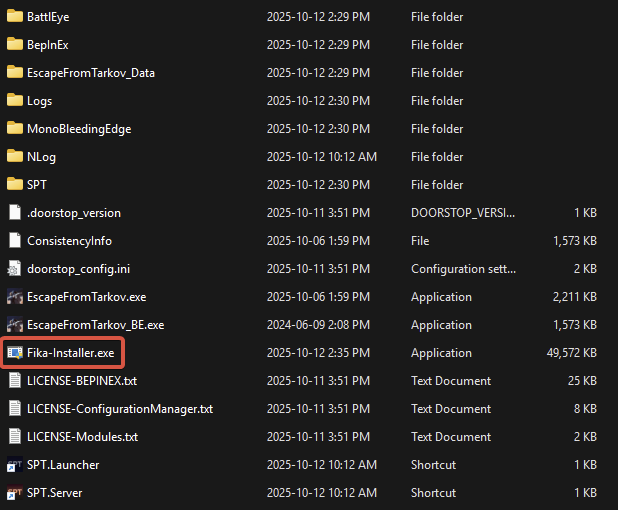
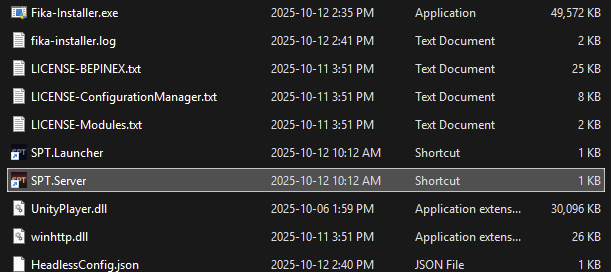
### Copy `Fika-Installer.exe` to the root of your SPT install folder
Do not copy inside `SPT` folder!
{% endstep %}
{% step %}
### Run `Fika-Installer.exe`
If you get an admin rights prompt, this is normal. `Fika-Installer` requires admin rights to set up the firewall rules.
{% endstep %}
{% step %}
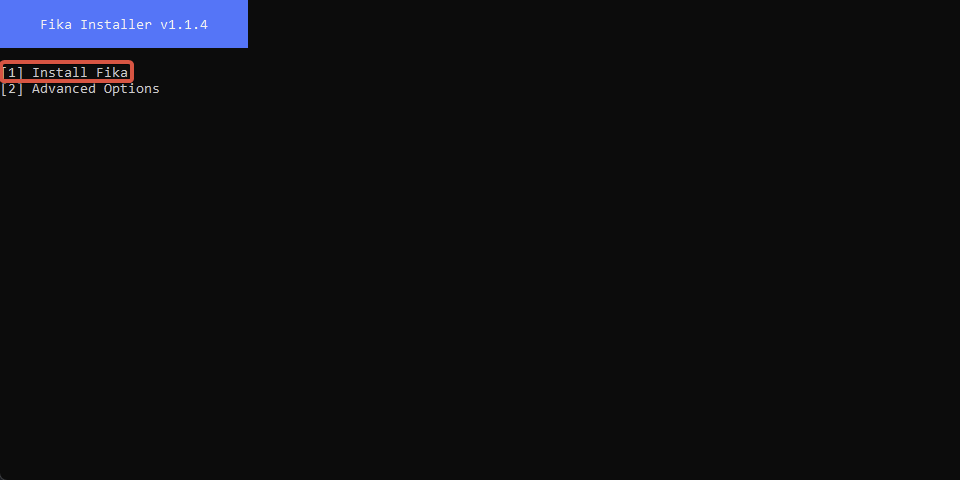
### Choose `Install Fika`
{% endstep %}
{% step %}
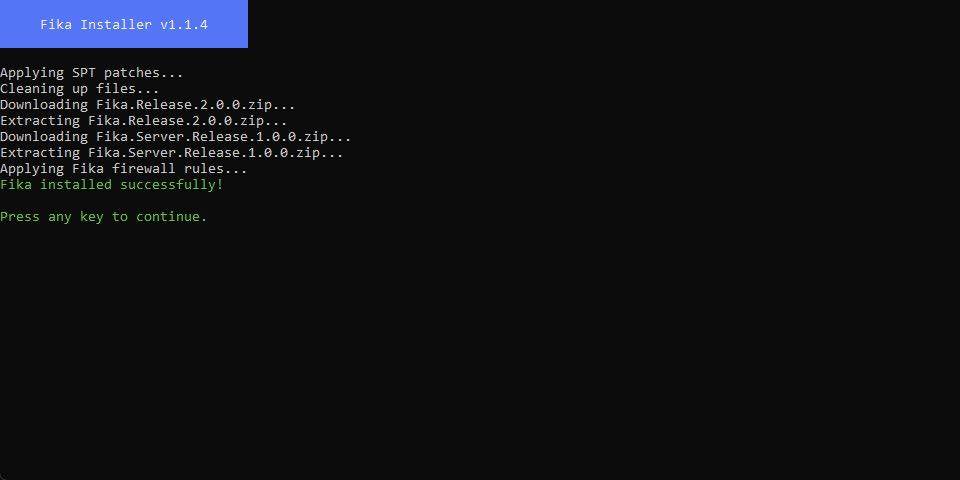
### Go back to the main menu when installation is completed
{% endstep %}
{% step %}
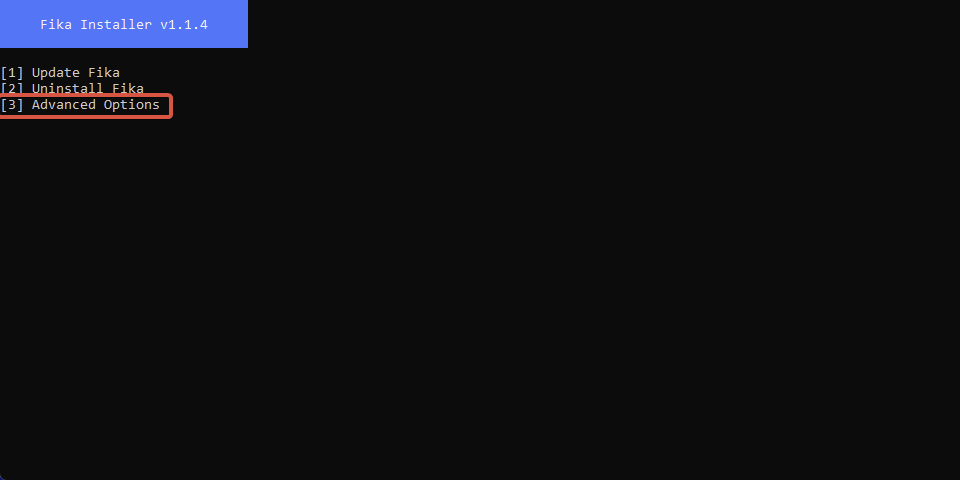
### Choose `Advanced options`
{% endstep %}
{% step %}
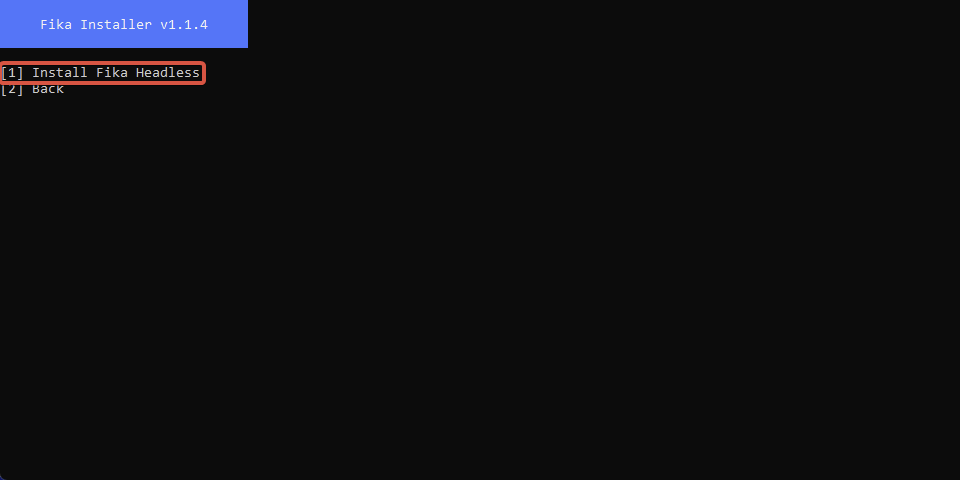
### Choose `Install Fika Headless`
{% endstep %}
{% step %}
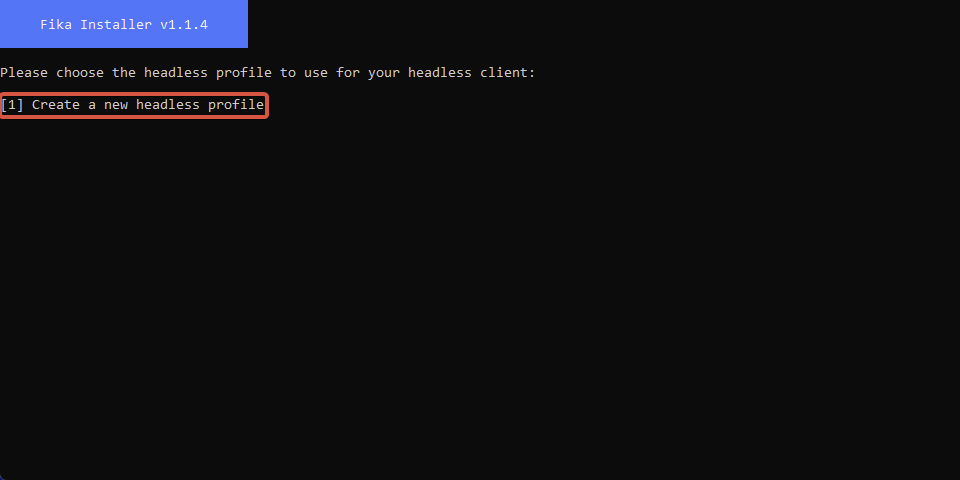
### Choose `Create a new headless profile`
{% endstep %}
{% step %}
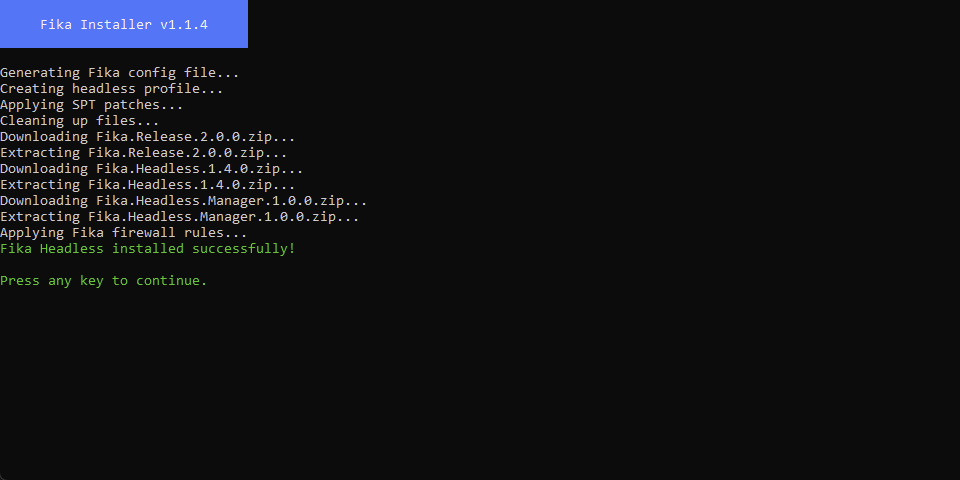
### Close `Fika-Installer` when installation is completed
{% endstep %}
{% step %}
### Start `SPT.Server.exe`
{% endstep %}
{% step %}
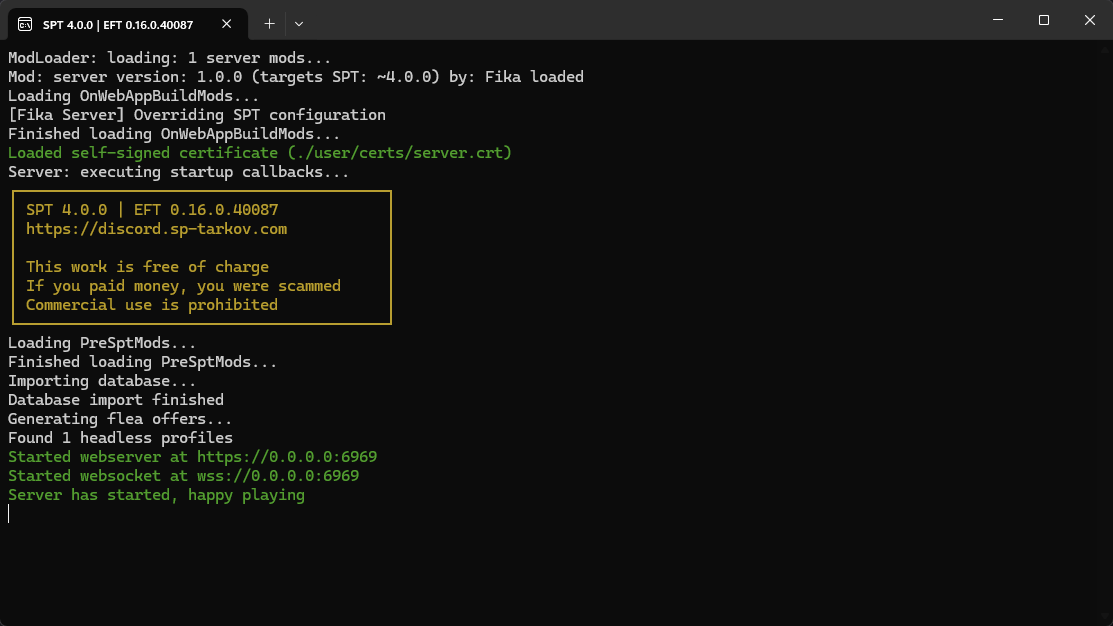
### Wait for `Server has started, happy playing` message in console
{% endstep %}
{% step %}
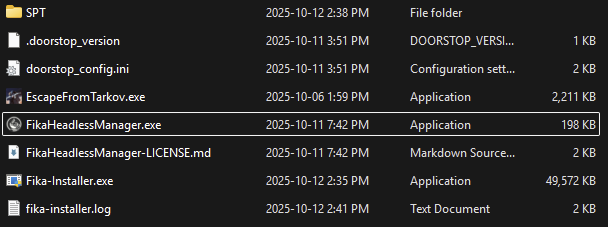
### Start the `Fika Headless Manager`
The `Fika Headless Manager` will start your headless client.
{% endstep %}
{% step %}
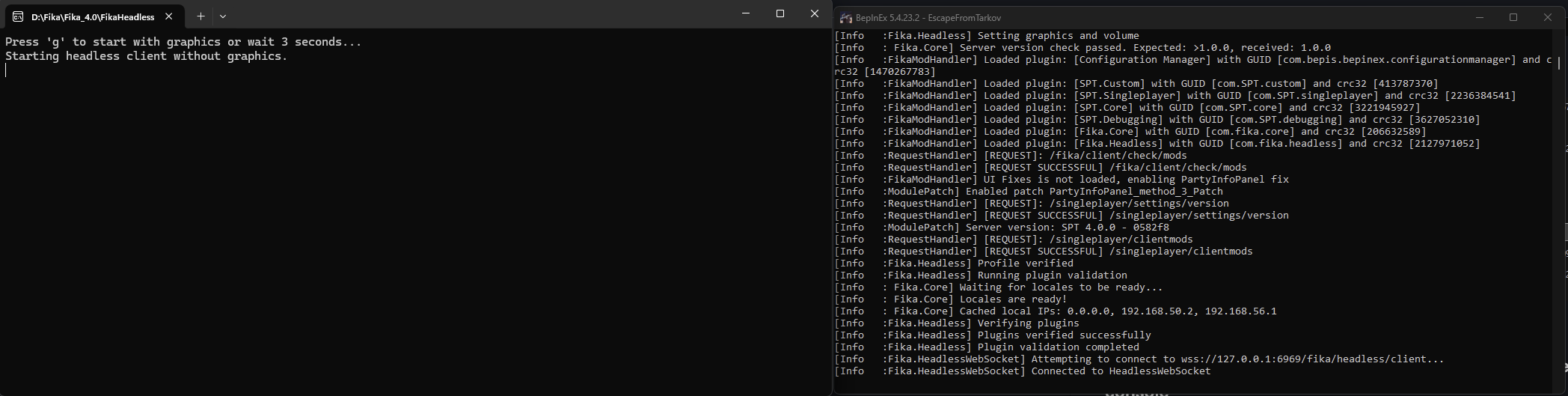
### Wait for the headless client to load
Two console windows will appear after running the script: the `Fika Headless Manager` and the headless client console. **Do not close them**. Wait for the headless client to load. Activity will stop in the console when loading is completed.
{% endstep %}
{% step %}
### Start Fika
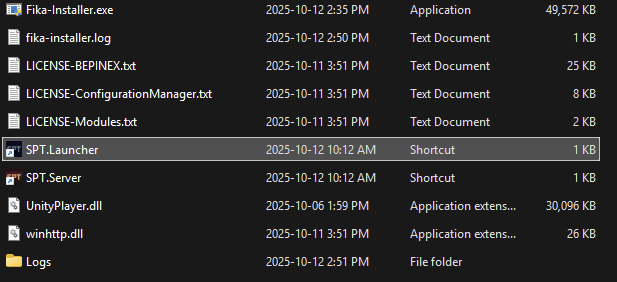
The headless client is now ready to host a raid. Start Fika (`SPT.Launcher`) on your computer.
**Do NOT start SPT.Launcher.exe on the headless client server!**
{% endstep %}
{% step %}
### Host a raid using the headless client
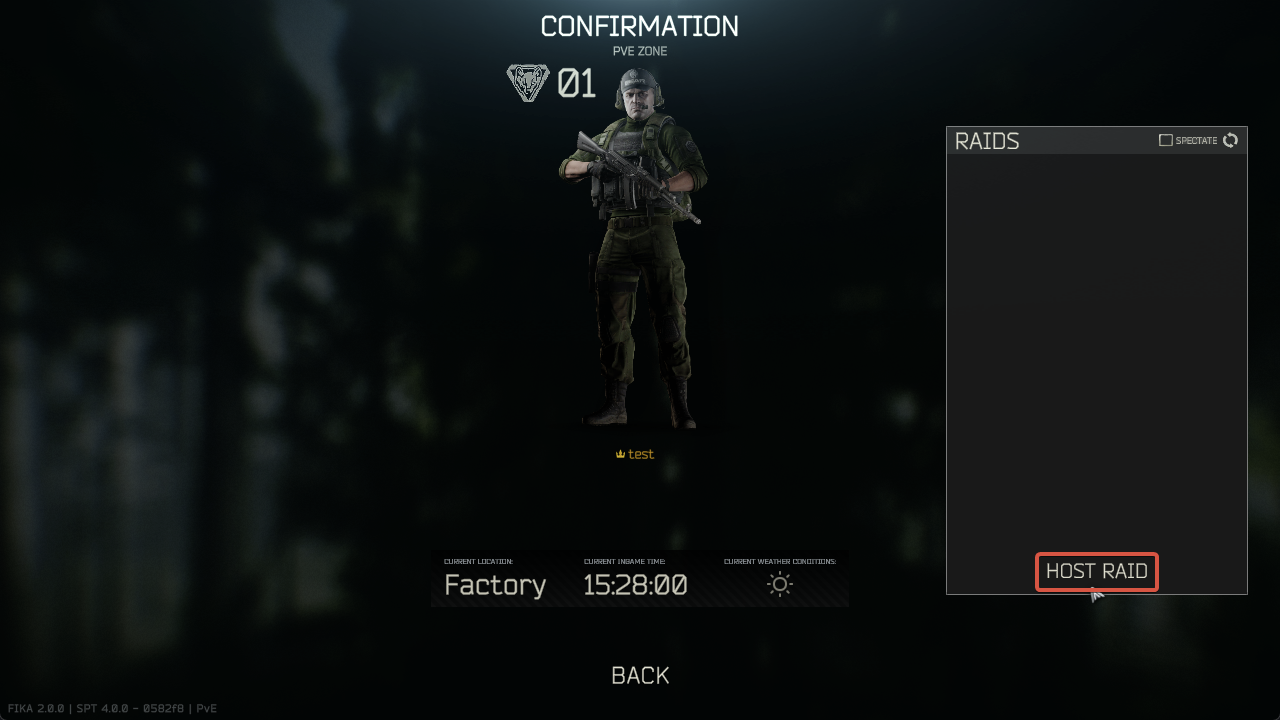
Navigate the in-game menu like you would normally do to reach the `Raids` menu and click `Host Raid`.
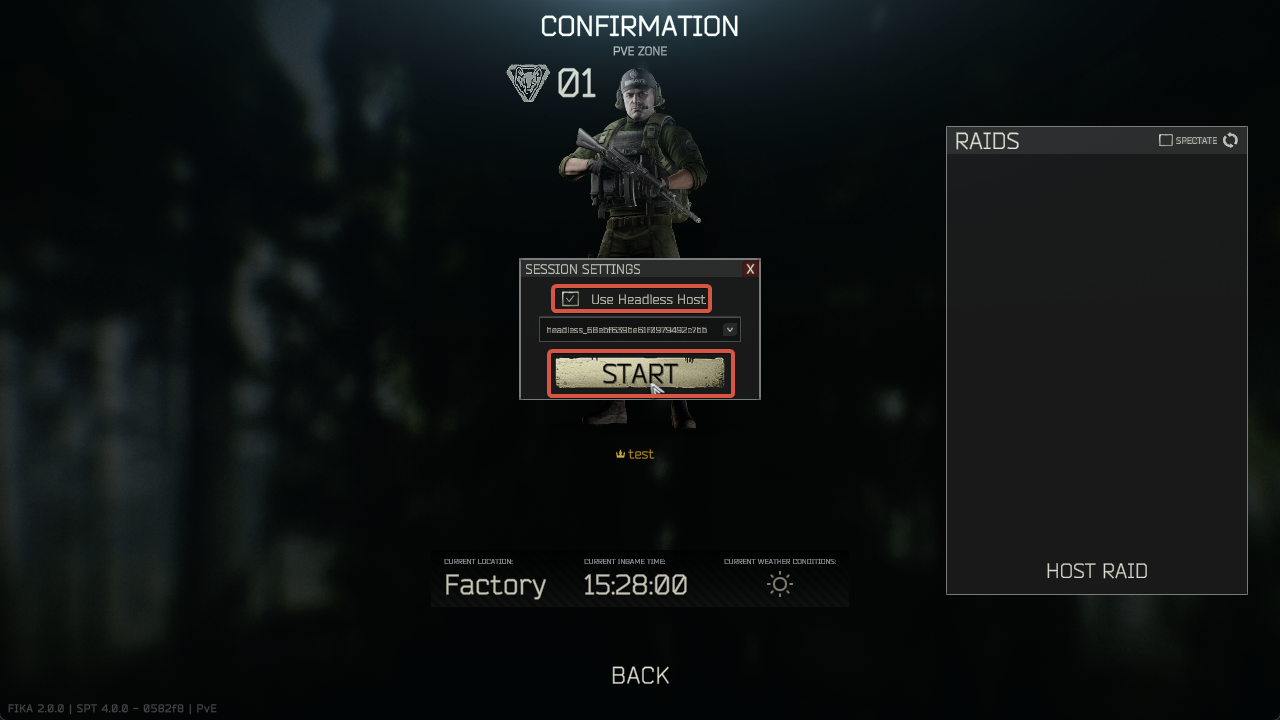
Check the `Use Headless Host` box and press `Start`. This will request the headless client to start a raid in the selected location. Wait for the headless client to load the raid.
{% endstep %}
{% step %}
### Start the raid when the headless client is ready
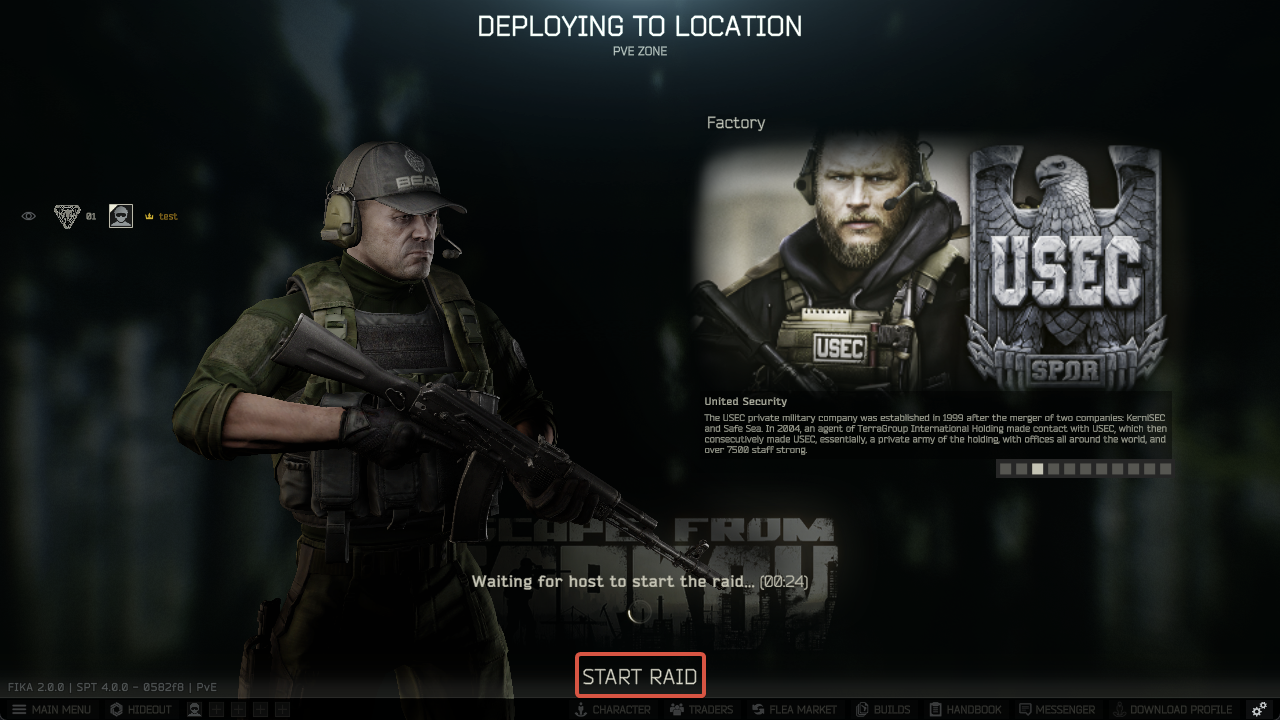
Your friend(s) can join the headless client's raid when you see this screen. When everybody has joined, press `Start Raid`.
{% endstep %}
{% endstepper %}
### Modding
The headless client is very sensitive to modding. Do **NOT** install the same mods you use in Fika. Because the headless client is heavily modified, most mods will likely cause crashes or make it unstable.
**✅ YOU CAN INSTALL:**
* AI mods (SAIN)
* Spawn mods (MOAR, DONUTS)
* Mods that specifically mention headless client support (That's Lit, UIFixes, etc.)
* Any mod that reasonably changes in-raid behavior, like entering custom quest zones or having to do with inventory (VCQL, Pack'n'Strap, etc.)
**❌ DO NOT INSTALL:**
* RAM/VRAM cleaner mods (RAM Cleaner, VRAM Cleaner, etc.)
* Performance mods (DeClutter, etc.)
* Any other mods not listed in the **YOU CAN INSTALL** section
### Troubleshooting
* If the `Use Headless Host` checkbox is greyed out, it means that the headless client is unavailable. It could be caused by unsupported mods installed in the headless client, networking issues, or other factors. Note that the headless client can only host one raid at a time. Check `BepInEx/LogOutput.log` for errors, especially warnings about incompatible mods.
* If your headless client is failing to load, launch it in Graphics mode by pressing `G` during the startup of `Fika Headless Manager` if possible. If launching in Graphics mode is not possible, look in the ` errors.log` in the SPT log folder for hints. Often this is caused by having a malfunctioning or invalid plugin, and sometimes also from missing a plugin that is required by one of the mods on the server.
* See other common issues in [FAQ and Guides](https://wiki.project-fika.com/faqandguides)