> For the complete documentation index, see [llms.txt](https://wiki.project-fika.com/llms.txt). Markdown versions of documentation pages are available by appending `.md` to page URLs; this page is available as [Markdown](https://wiki.project-fika.com/advanced-features/headless-client/local-headless-client.md).
# Local Headless Client
Instructions for setting up a headless client to host your raids from the same PC where you play SPT. Support is limited.
{% hint style="info" %}
Please make sure you have read everything on the general [Headless Client page](/advanced-features/headless-client.md) first.
{% endhint %}
{% hint style="danger" %}
## SUPPORT IS LIMITED
Please note that **support is limited** if you choose to run the headless client on the same PC where you are playing SPT. This is not the officially supported configuration and may lead to:
* Performance degradation
* Increased incidence of crashes
* Significant increase in page file usage
* General instability that may adversely affect the entire PC or operating system
If you are experiencing any issues related to performance or instability, **stop using the headless client** on the same PC where you are playing.
Please do not ask for support if you are experiencing performance-related issues.
{% endhint %}
***
## Recommended Hardware Requirements
* You **must** have at least 64 GB of RAM.
* Anything less **may work** in limited circumstances but is likely to cause issues.
* A CPU that holds a high boost clock (4Ghz+) while all cores are loaded.
* 100GB free space on a very fast SSD, preferably NVMe.
***
## Notes
* Windows virtual paging settings **must be default** with ample free space on your `C:\` drive.
* If you have changed Windows virtual memory options, please return all settings to their default configuration. The `Automatically manage paging file size for all drives` checkbox should be checked.
* The installation process below assumes that you have followed the [Installing Fika](/installing-fika/installation.md) process exactly. Deviating from that process at all may lead to issues.
* If you have previously installed mods, especially client plugins, please remove them before proceeding. This process assumes that the only mod installed is Fika.
* Proceeding with this guide while mods are installed is *possible*, but you are likely to run into issues. If you have any issues during this process at all, start over but this time remove all mods first.
* Character progress and server settings will largely be unaffected.
* The only change to your existing server settings will be a small change in [fika.jsonc](/fika-configuration/server.md) to generate the necessary headless profile.
How could this possibly increase performance?
It is understandably difficult to see how running two SPT clients on the same PC could increase performance. Why would running the game twice on the same hardware be any better than only running the game once?
The reasons all boil down to how the base game client processes in-raid actions.
Basically, any action taken by an AI/bot has to be calculated on the same CPU core/thread before the CPU pushes data to your video card to render the next frame. There is very limited multi-threading, thus the game client that hosts all of the AI calculations has more to do and each frame is rendered more slowly.
By offloading the AI calculations onto a separate game client via the Fika headless client plugin, you are freeing up your game client's main logic thread to do less work before rendering each frame. This is effectively multi-threading the raid behavior, with your game client taking care of all of the rendering of graphics and the 2nd headless game client taking care of the bulk of the in-raid calculations.
All of the above is simplified for illustrative purposes only.
***
## Installation
{% stepper %}
{% step %}
### OPTIONAL: [Create a Fresh SPT+Fika Install](/installing-fika/installation.md)
{% hint style="info" %}
If you do not have **any** mods for **client or server** in your main SPT+Fika install, you can skip this step.
{% endhint %}
You can follow the steps below with your existing SPT+Fika install, but you may run into issues, especially if you already have mods installed. Creating a fresh SPT+Fika install makes it much easier to undo if you find that this will not work on your PC and it also leaves your existing install completely untouched.
Follow the entire [Installing Fika](/installing-fika/installation.md) section from start to finish, including creating a character and getting to your stash.
Once you have confirmed that everything is working with a fresh install, you can migrate mods and profiles from your existing install to your new install.
Skip this step at your own risk.
{% endstep %}
{% step %}
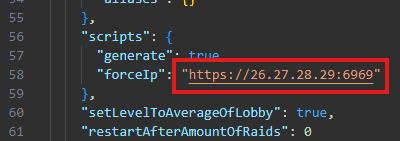
### OPTIONAL: Set URL in [fika.jsonc](/fika-configuration/server.md)
{% hint style="info" %}
This step is not necessary if you are using this only for yourself or if you are port forwarding.
{% endhint %}
If you are using a VPN like Radmin or ZeroTier, you will need to:
1. Navigate to `[Existing SPT Install]\SPT\user\mods\fika-server\assets\configs\`
1. If `fika.jsonc` does not exist, run SPT.Server.exe from your existing SPT install once and then close it.
2. Open `fika.jsonc` in a text editor.
3. Scroll down to the `scripts -> forceIp` setting and change it to the URL that you set up while following [the hosting instructions](/hosting-a-fika-server/choose-your-hosting-method.md).
4. Save the file and close the text editor.
{% endstep %}
{% step %}
### Create the Headless Client SPT install folder
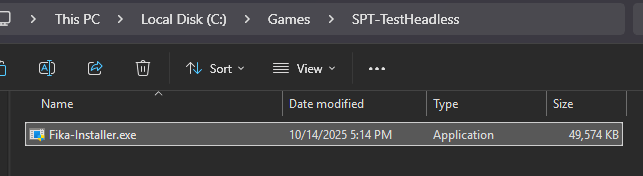
Create a new empty folder somewhere on your PC where you want the headless client install to be. Copy and paste `Fika-Installer.exe` from your original SPT install into this new empty folder.
{% endstep %}
{% step %}
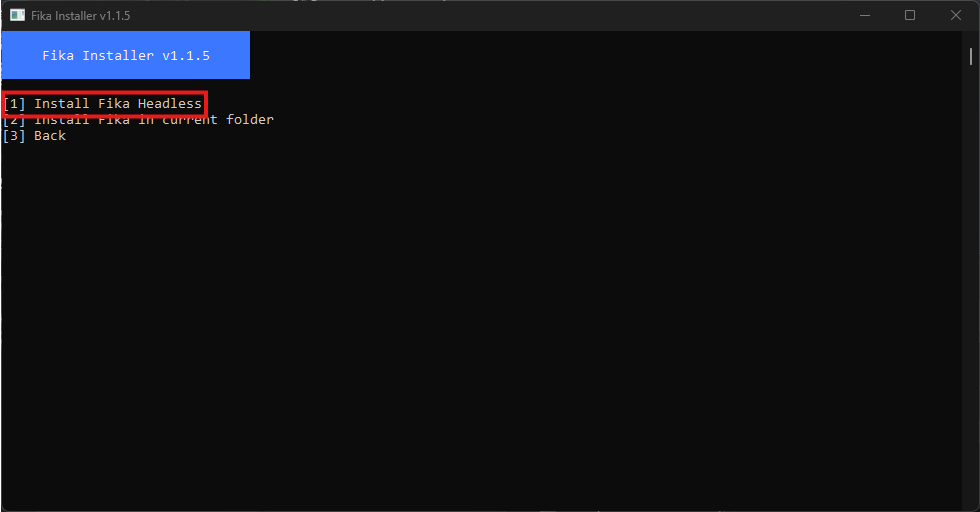
### Use `Fika-Installer` to create a headless SPT install copy
Run `Fika-Installer.exe` and choose `Advanced Options` and then `Install Fika Headless`
{% endstep %}
{% step %}
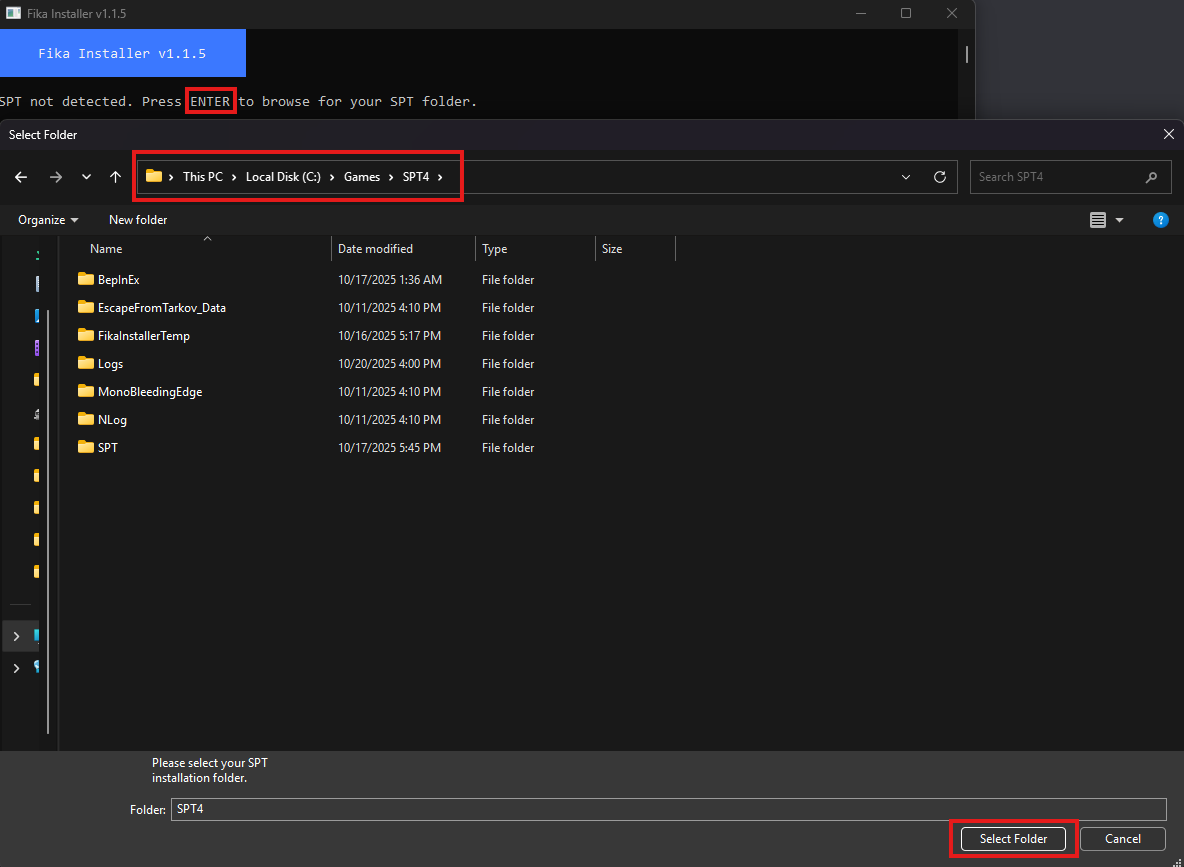
### Select existing SPT+Fika install folder
Press `ENTER` and then select your existing SPT+Fika install folder.
{% endstep %}
{% step %}
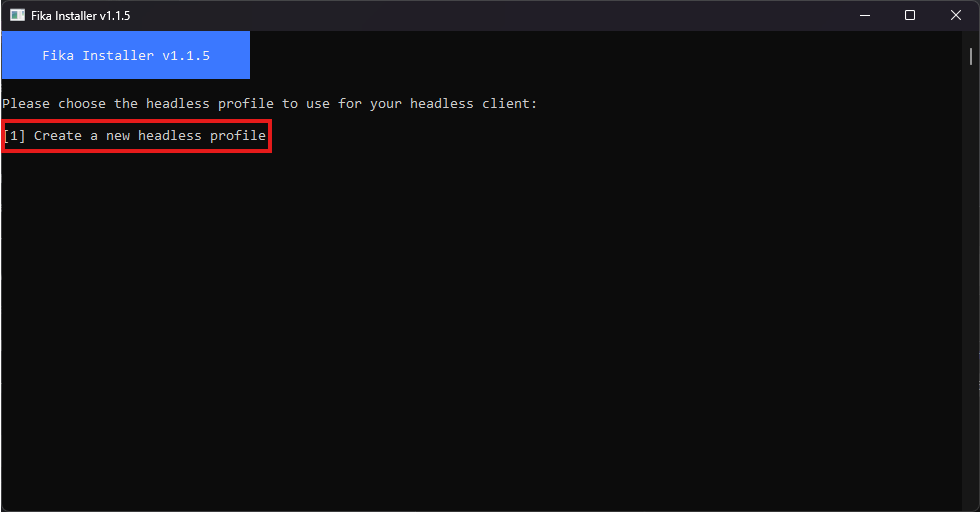
### Create the headless profile
Select `Create a new headless profile`
{% endstep %}
{% step %}
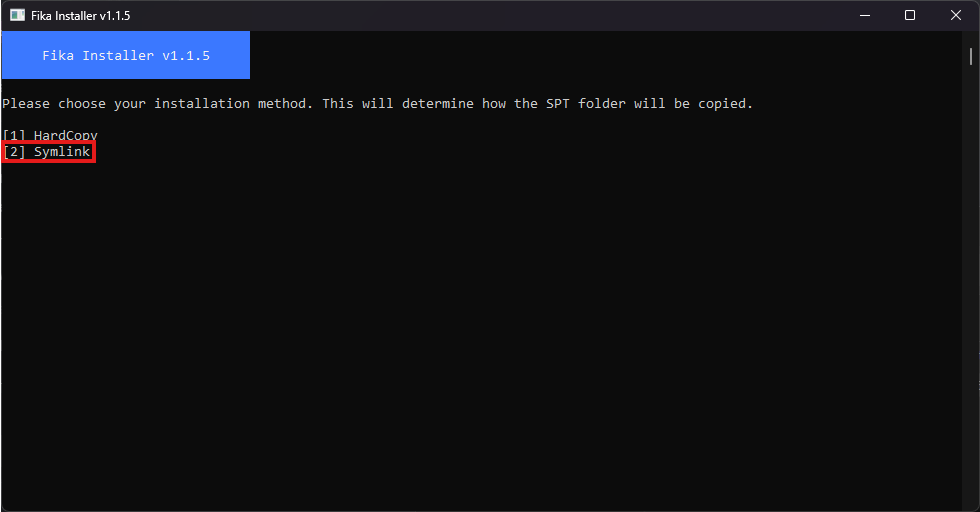
### Choose installation method
Choose either `HardCopy` or `Symlink` based on your preference.
* `HardCopy` will create a 1:1 copy of the existing SPT+Fika installation, which will take up the full 50+ GB of storage space. This is the method that will entirely avoid issues or confusion.
* `Symlink` will hard copy parts of the existing install to the new headless client folder, but will create a symbolic link of the bulk of the EFT data files. This saves a significant amount of storage but could possibly create issues if you were to delete the original files or need to reinstall SPT in the future.
#### If you have no preference, choose `Symlink` to save on storage space.
{% endstep %}
{% step %}
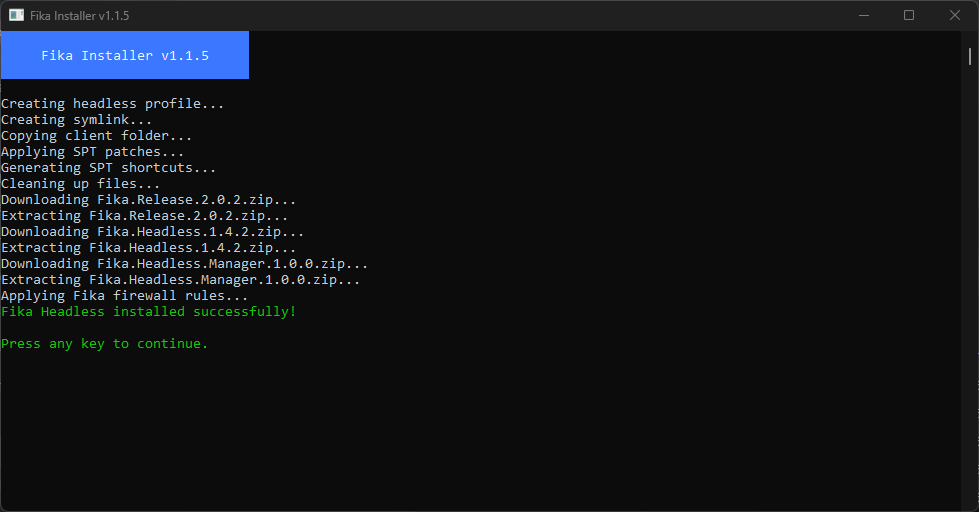
### Verify completion
Fika-Installer should create the necessary headless profile, copy the files to the new headless client install folder, and then install the latest version of Fika. If this step does not complete successfully, start over from the beginning.
Once done, you may now close `Fika-Installer`.
{% endstep %}
{% step %}
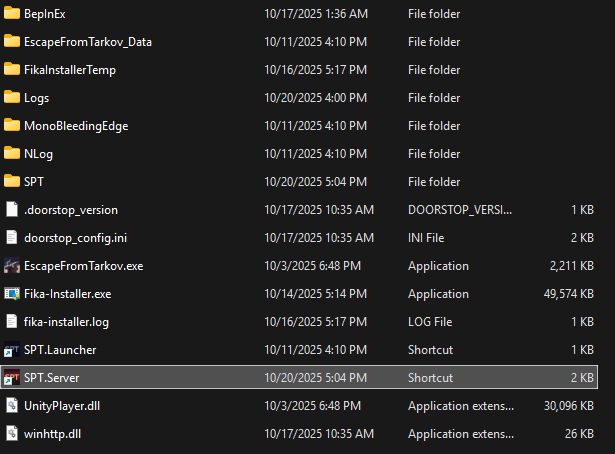
### Start `SPT.Server` from existing SPT+Fika folder
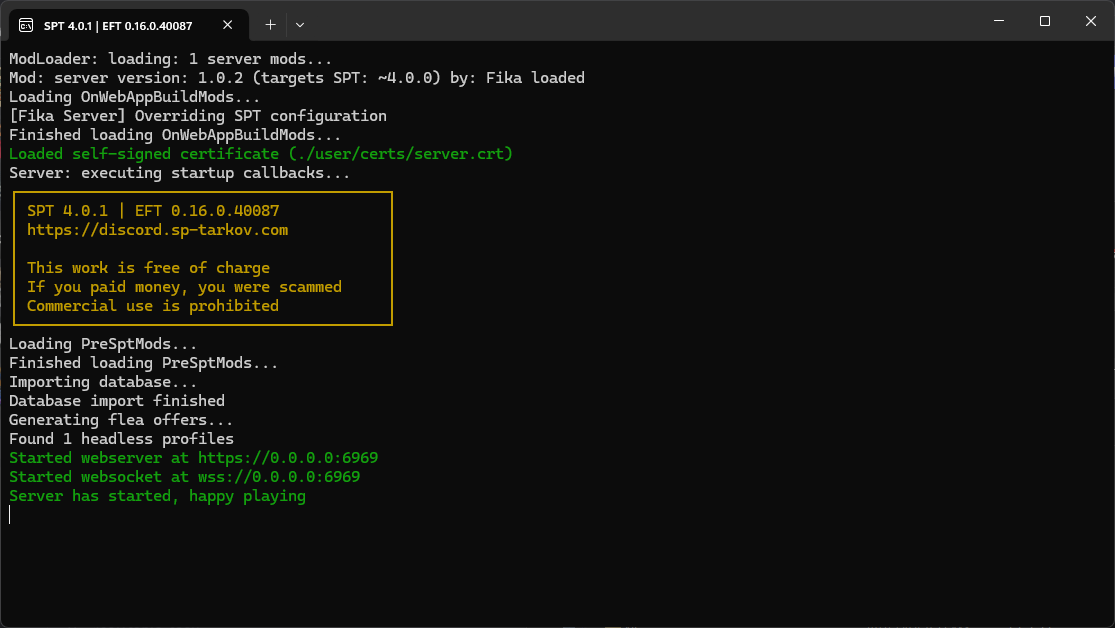
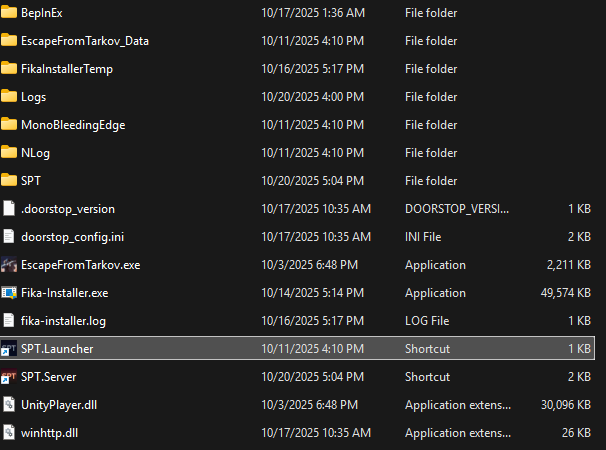
Open a new File Explorer window and navigate to your existing SPT+Fika folder and launch `SPT.Server`
{% endstep %}
{% step %}
### Wait for `Server has started, happy playing` message in console
{% endstep %}
{% step %}
### Start `SPT.Launcher` and your game client
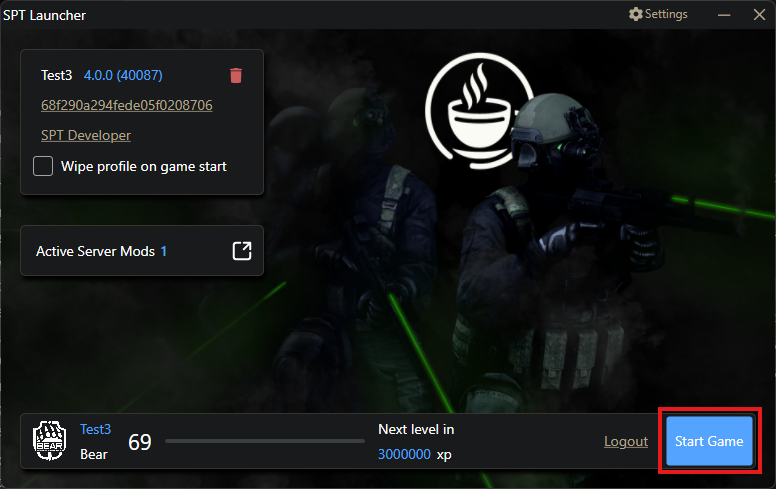
From the same existing SPT+Fika install folder, run `SPT.Launcher`.
Create a character if necessary and click the `Start Game` button.
{% endstep %}
{% step %}
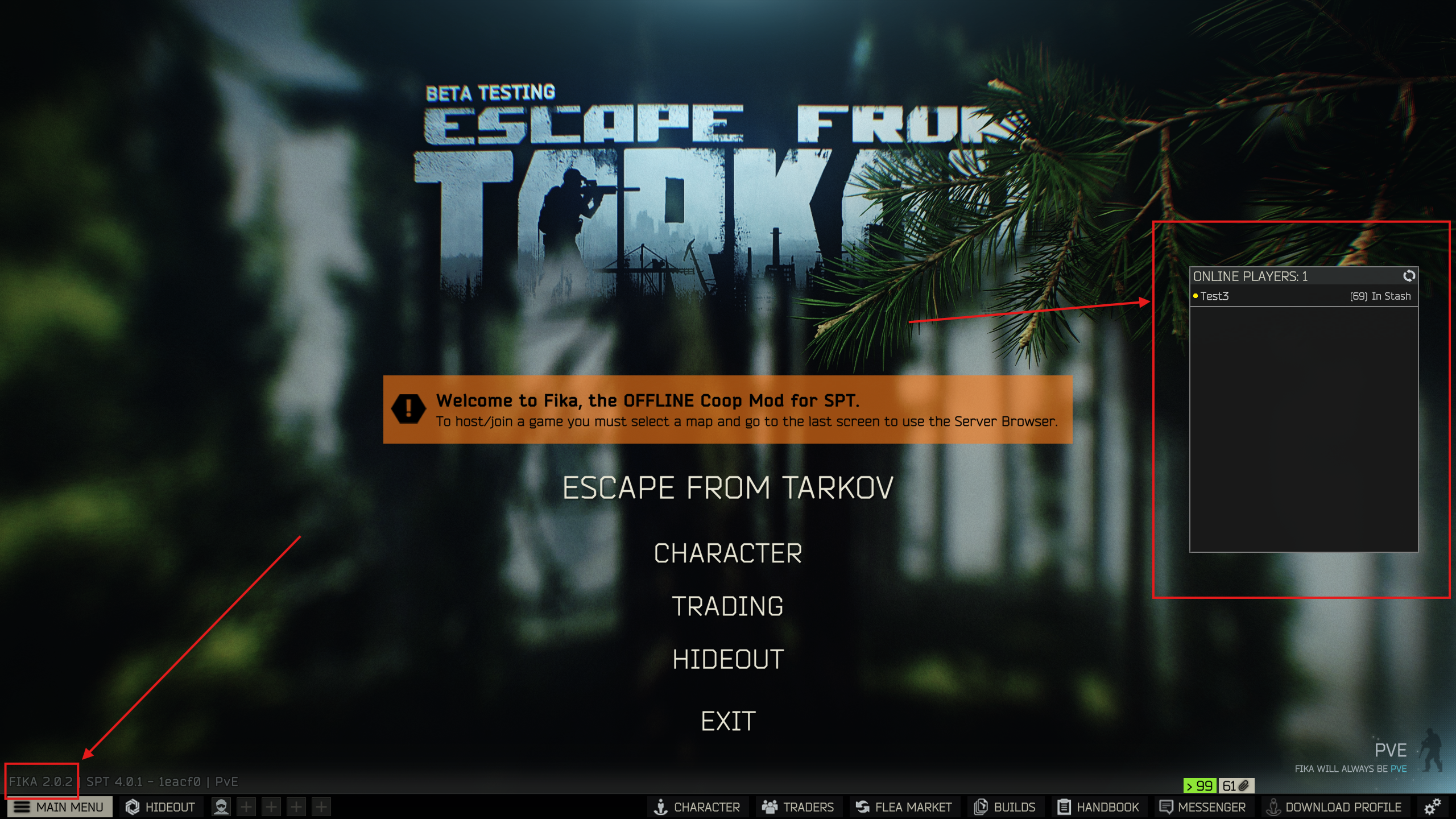
### Verify your game client loads and Fika is installed
{% endstep %}
{% step %}
### Start the `Fika Headless Manager`
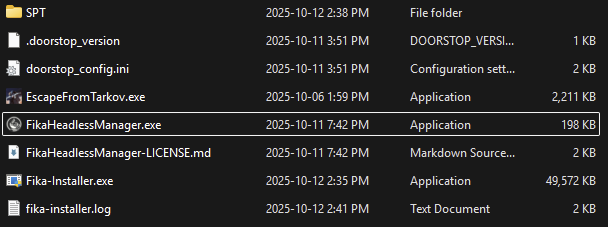
From your headless client install folder, run `FikaHeadlessManager.exe`. The `Fika Headless Manager` will start your headless client.
{% endstep %}
{% step %}
### Wait for the headless client to load
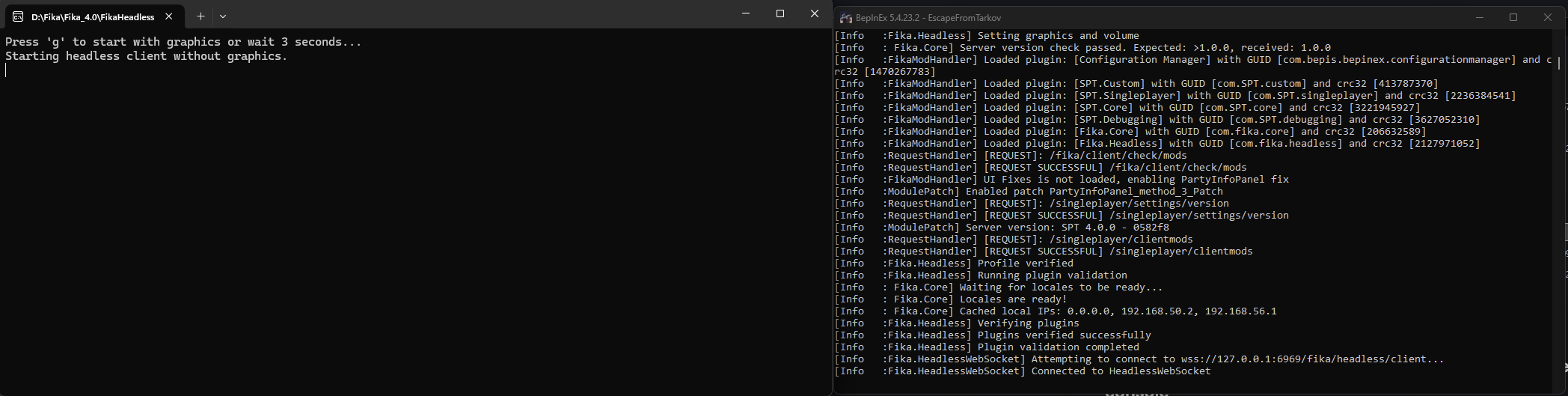
Two console windows will appear after running the script: the `Fika Headless Manager` and the headless client console. **Do not close them**. Wait for the headless client to load. Activity will stop in the console when loading is completed.
{% endstep %}
{% step %}
### Host a raid using the headless client
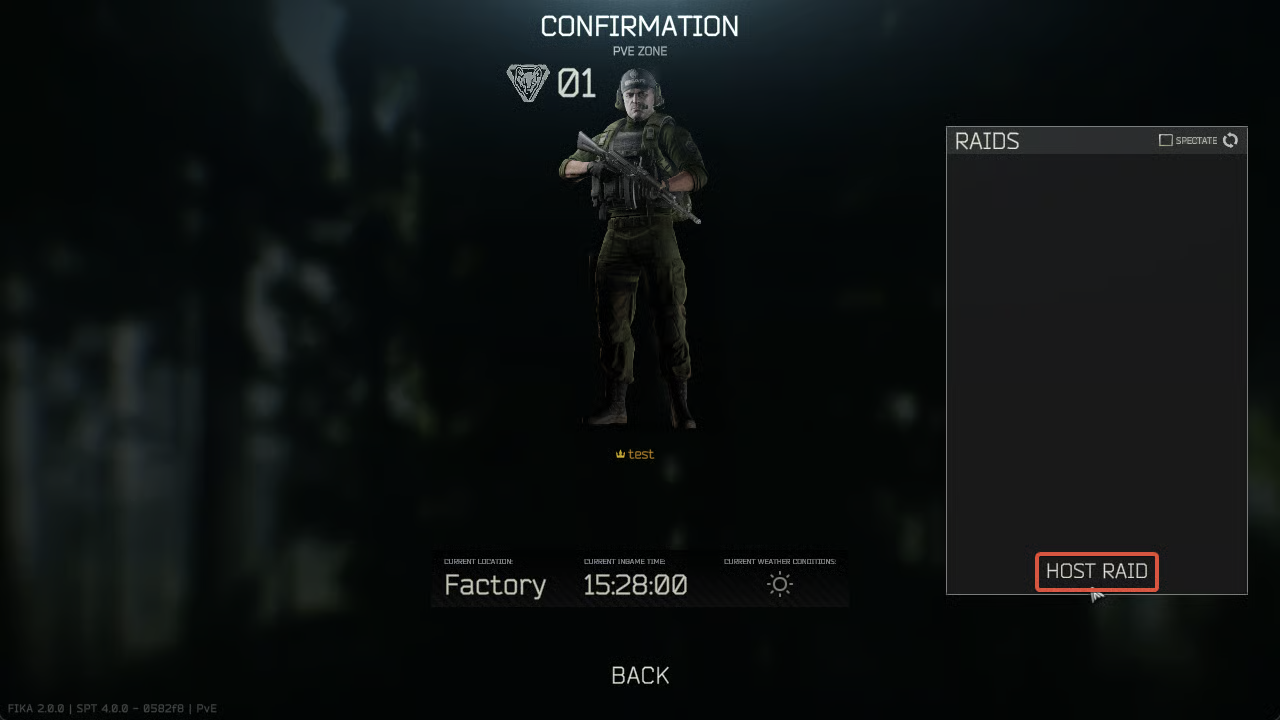
Navigate the in-game menu like you would normally do to reach the `Raids` menu and click `Host Raid`.
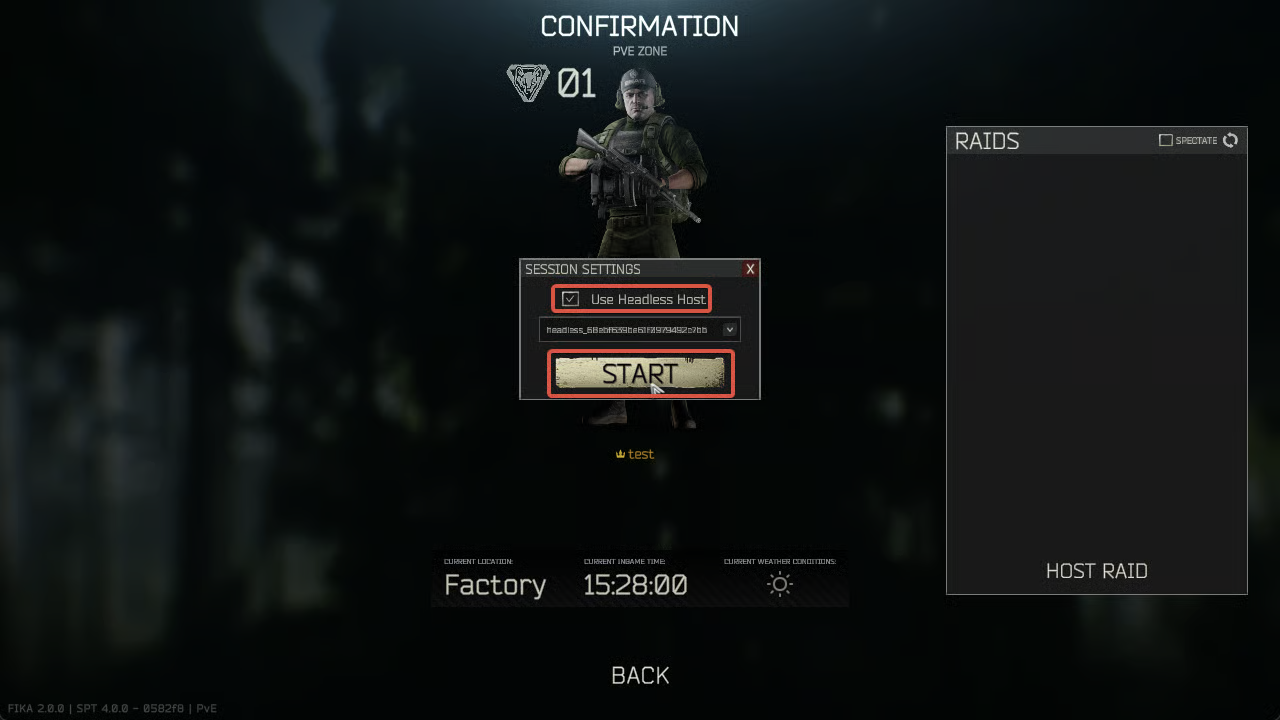
Check the `Use Headless Host` box and press `Start`. This will request the headless client to start a raid in the selected location. Wait for the headless client to load the raid.
{% endstep %}
{% step %}
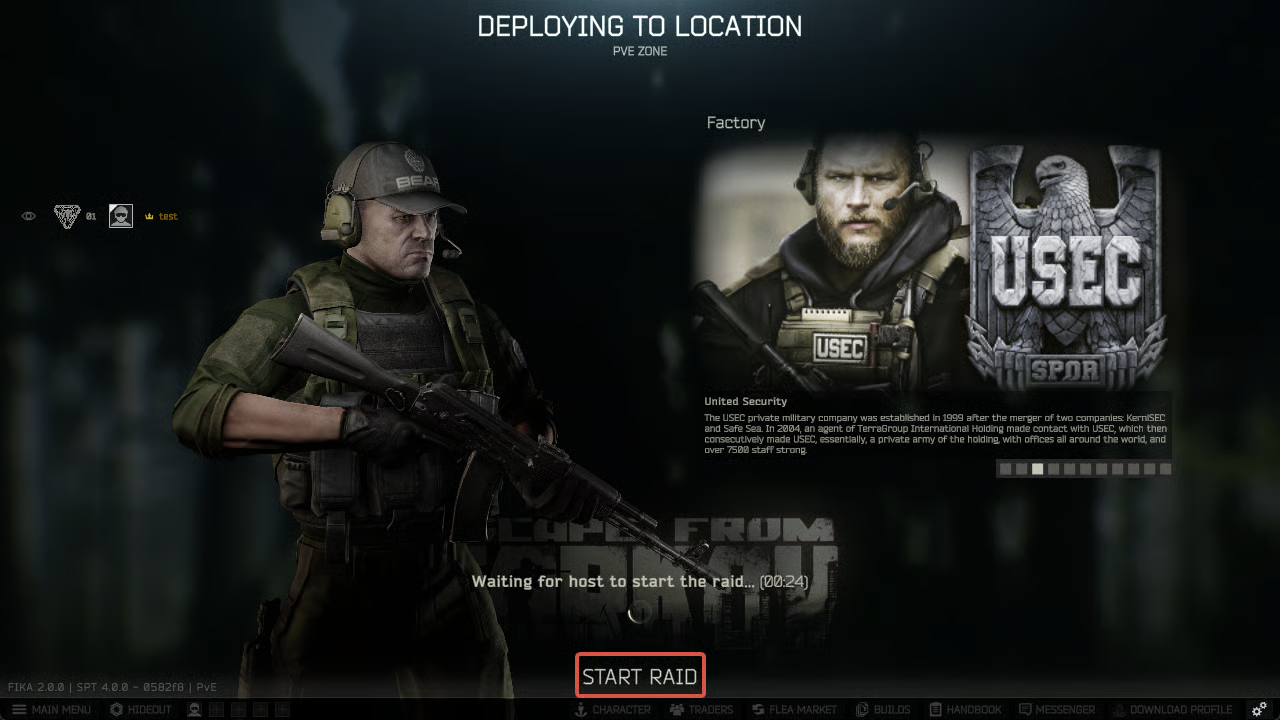
### Start the raid when the headless client is ready
Your friend(s) can join the headless client's raid when you see this screen. When everybody has joined, press `Start Raid`.
{% endstep %}
{% step %}
### Done!
{% endstep %}
{% endstepper %}
***
## Modding
The headless client is very sensitive to modding. Do **NOT** install the same mods you use in Fika. Because the headless client is heavily modified, most mods will likely cause crashes or make it unstable.
**✅ YOU CAN INSTALL:**
* AI mods (SAIN)
* Spawn mods (MOAR, DONUTS)
* Mods that specifically mention headless client support (That's Lit, UIFixes, etc.)
* Any mod that reasonably changes in-raid behavior, like entering custom quest zones or having to do with inventory (VCQL, Pack'n'Strap, etc.)
**❌ DO NOT INSTALL:**
* RAM/VRAM cleaner mods (RAM Cleaner, VRAM Cleaner, etc.)
* Performance mods (DeClutter, etc.)
* Any other mods not listed in the **YOU CAN INSTALL** section
***
## Troubleshooting
* If you are crashing or getting errors when joining a headless hosted raid, make sure that Fika is up-to-date for everyone. Verify that you have the latest version of [Fika-Installer](https://github.com/project-fika/Fika-Installer/releases/latest) and use it both in your normal SPT+Fika folder as well as the headless folder to `Update Fika` and `Advanced` -> `Update Fika Headless`.
* If the `Use Headless Host` checkbox is greyed out, it means that the headless client is unavailable. It could be caused by unsupported mods installed in the headless client, networking issues, or other factors. Note that the headless client can only host one raid at a time. Check `BepInEx/LogOutput.log` for errors, especially warnings about incompatible mods.
* If your headless client is failing to load, launch it in Graphics mode by pressing `G` during the startup of `Fika Headless Manager` if possible. If launching in Graphics mode is not possible, look in the ` errors.log` in the SPT log folder for hints. Often this is caused by having a malfunctioning or invalid plugin, and sometimes also from missing a plugin that is required by one of the mods on the server.
* See other common issues in [FAQ and Guides](/faqandguides.md) and [Headless Client FAQ and Common Issues](/faqandguides/headless-client-faq-and-common-issues.md)