> For the complete documentation index, see [llms.txt](https://wiki.project-fika.com/llms.txt). Markdown versions of documentation pages are available by appending `.md` to page URLs; this page is available as [Markdown](https://wiki.project-fika.com/joining-a-fika-server/connect-locally.md).
# Connect locally
Step-by-step process for joining a Fika server.
{% stepper %}
{% step %}
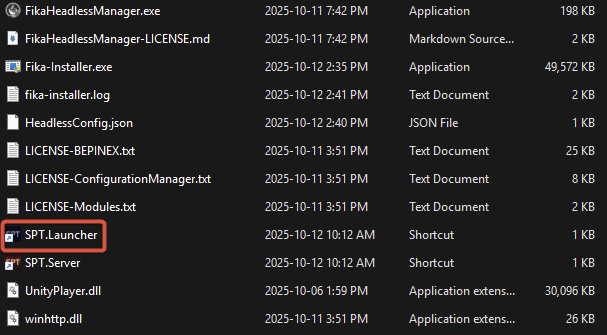
### Start `SPT.Launcher`
{% endstep %}
{% step %}
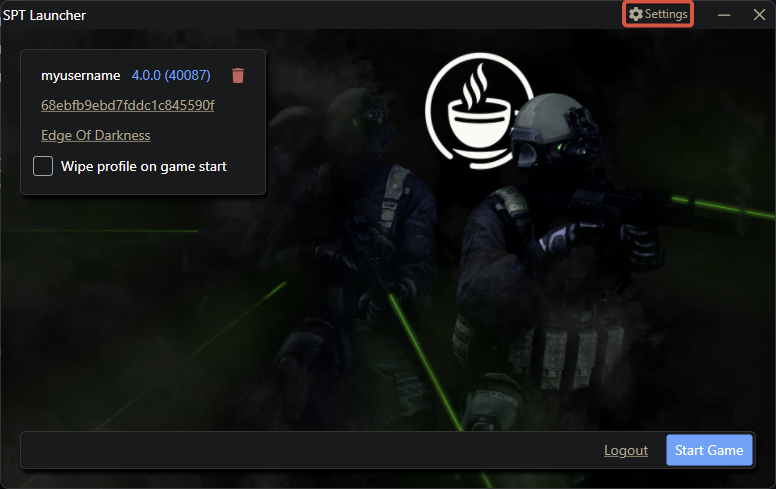
### Open `SPT Launcher`'s settings menu
Click the `Settings` button.
{% endstep %}
{% step %}
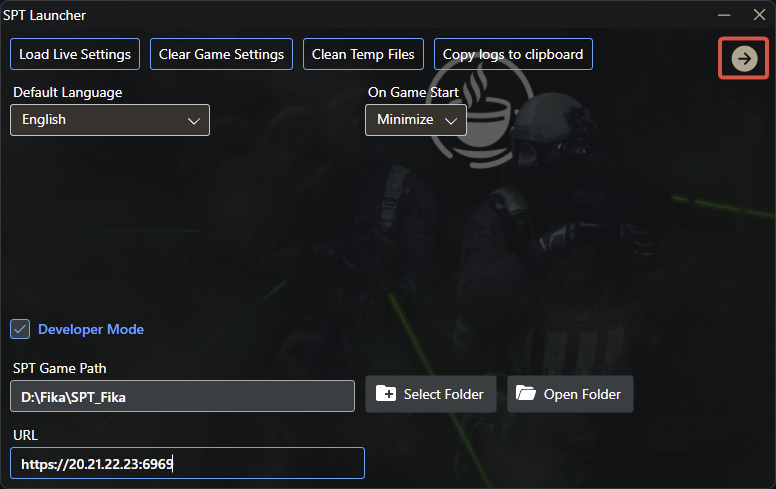
### Configure server IP
Ask the server host to provide their local IP address.
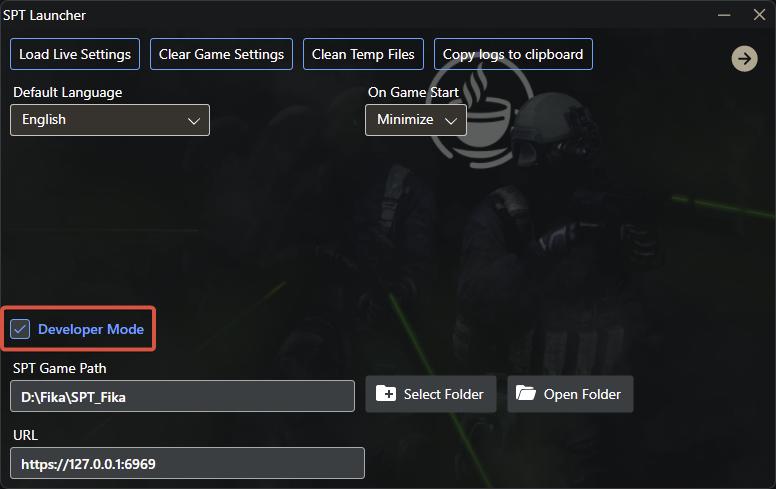
Check the `Developer Mode` box.
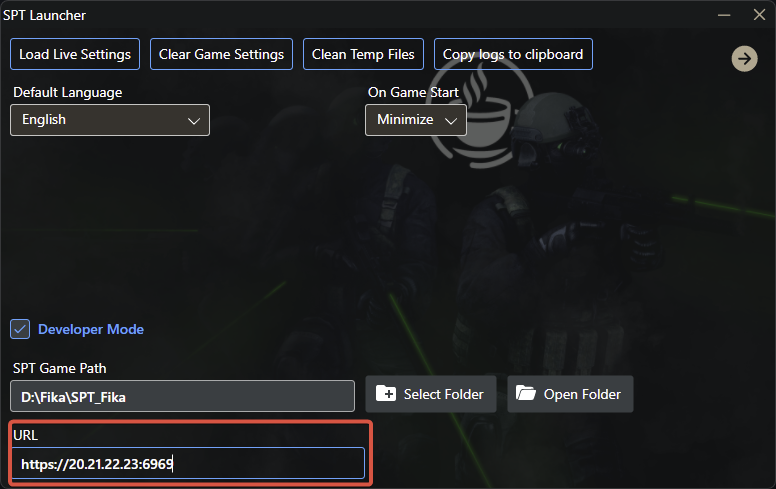
Enter the host's local IP address in the URL section. **DO NOT** leave out `https://`, do not forget to append the port `:6969` and do not add a slash at the end. The URL box should look like this: `https://20.21.22.23:6969`
{% endstep %}
{% step %}
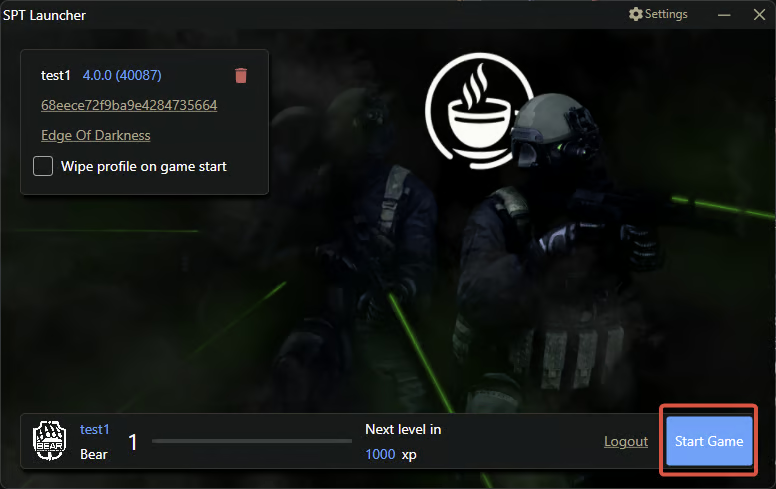
### Create your profile
{% endstep %}
{% step %}
### Start the game
{% endstep %}
{% endstepper %}